
Step 1
Open the WordPress plugins area
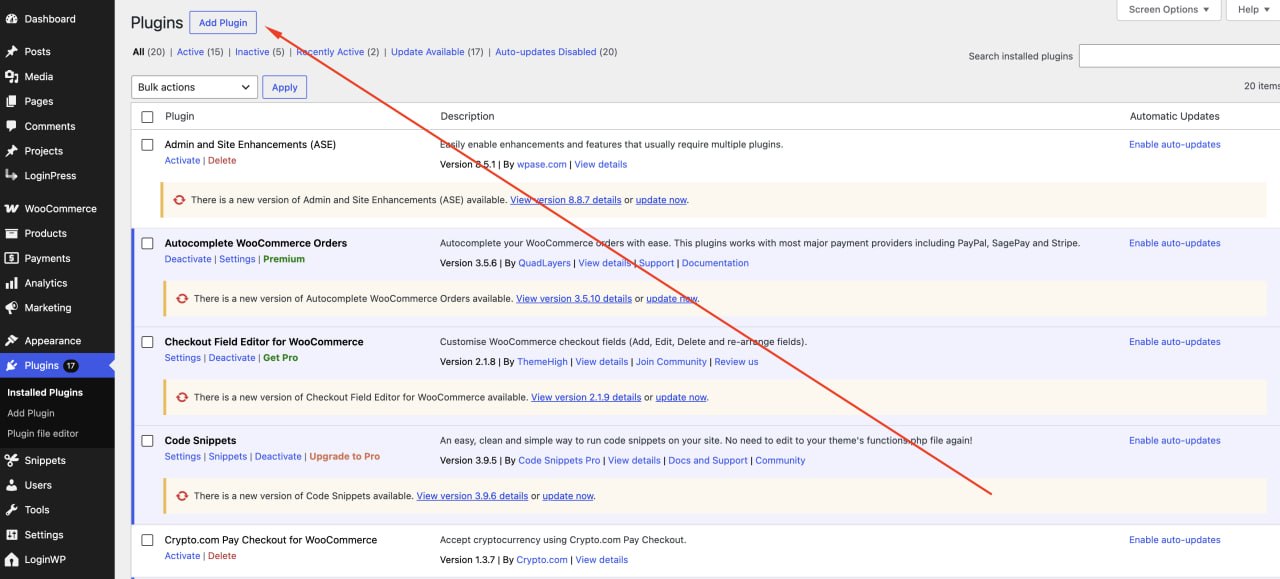
From your WordPress dashboard, go to Plugins, then choose Add Plugin. This is where you upload the Onramp Pay WooCommerce plugin ZIP file.
WooCommerce Setup
Follow these steps to upload the plugin ZIP, activate it in WordPress, and configure the payment gateway from your WooCommerce payment settings.
Upload the plugin file from Plugins > Add Plugin.
Activate the plugin after WordPress completes installation.
Enable the gateway and add your wallet details in WooCommerce.
Step 1
From your WordPress dashboard, go to Plugins, then choose Add Plugin. This is where you upload the Onramp Pay WooCommerce plugin ZIP file.
Step 2
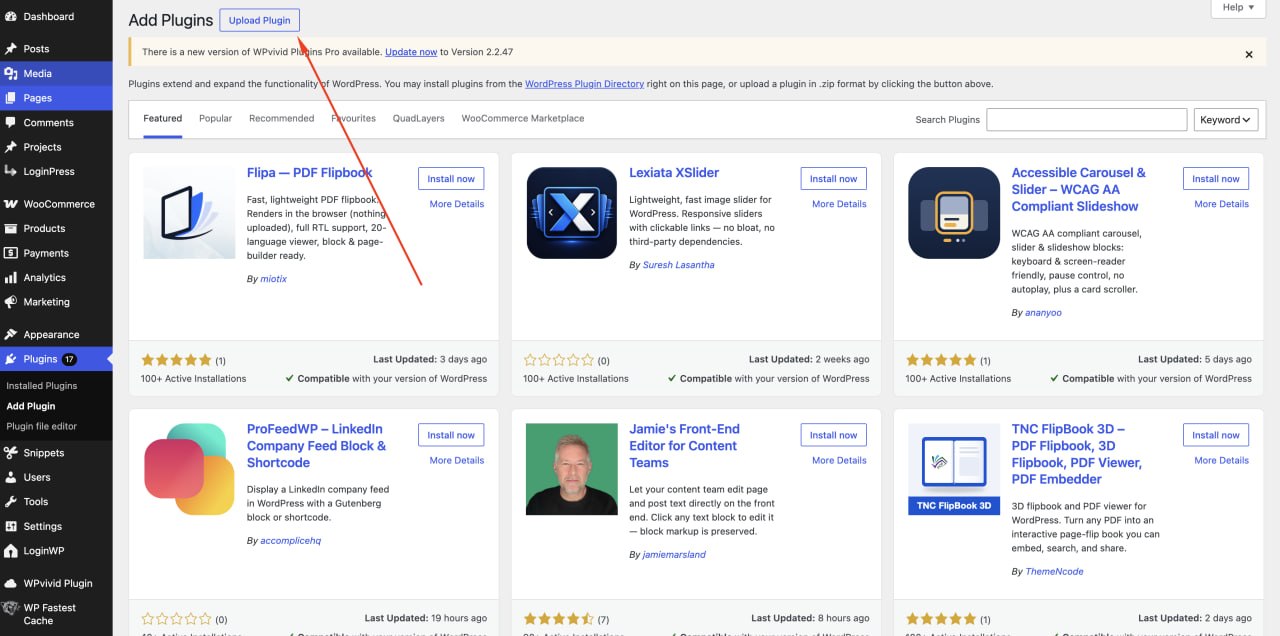
On the Add Plugins screen, click Upload Plugin at the top of the page. This opens the manual ZIP upload form.
Step 3
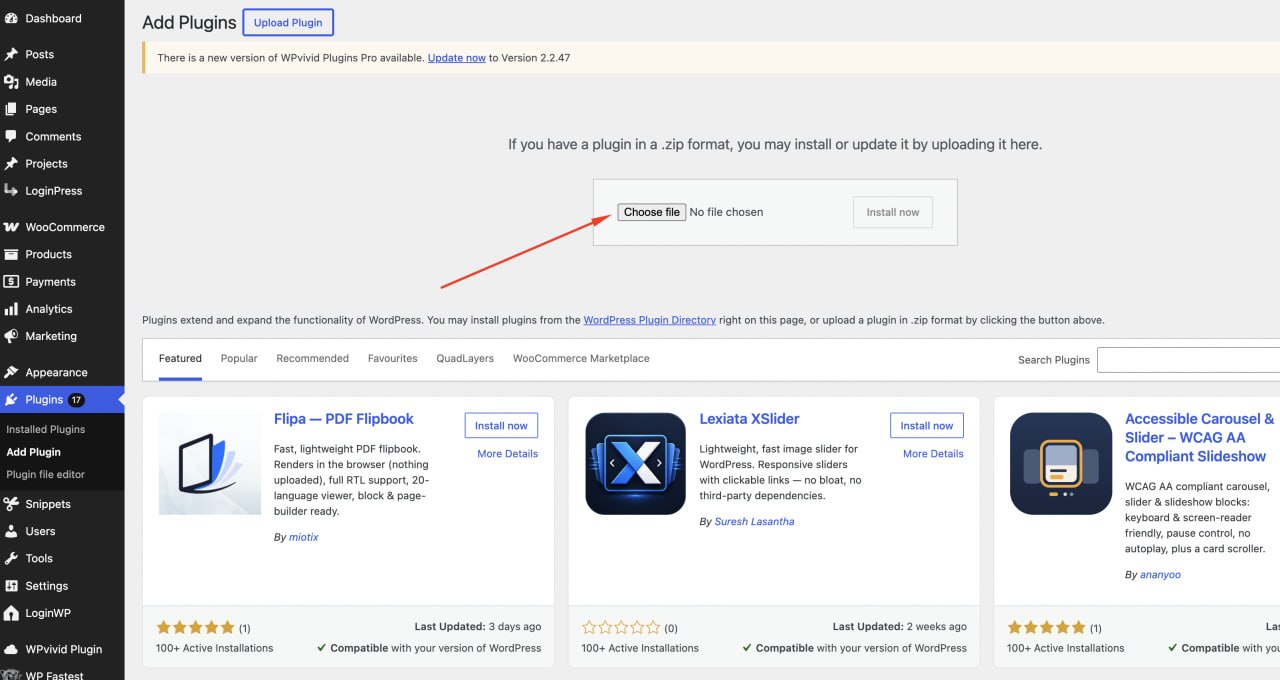
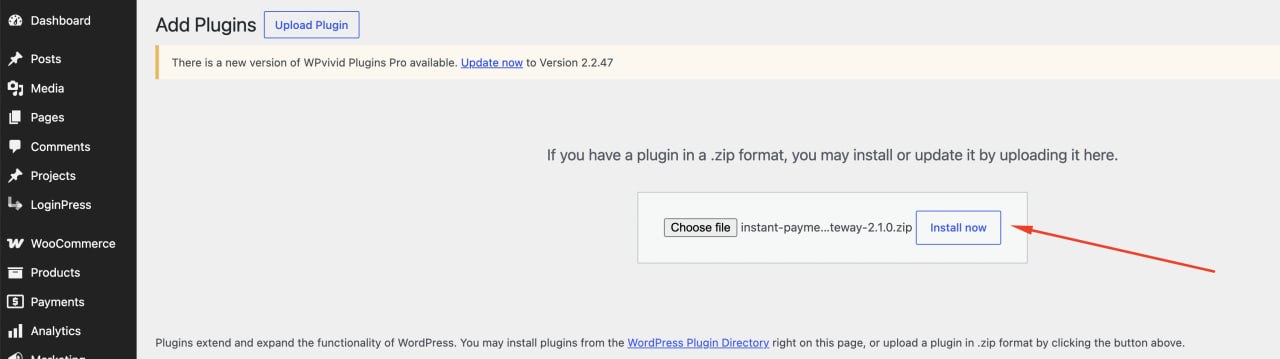
Click Choose file in the upload box. WordPress only accepts the plugin as a ZIP file, so do not unzip the download before uploading.
Step 4
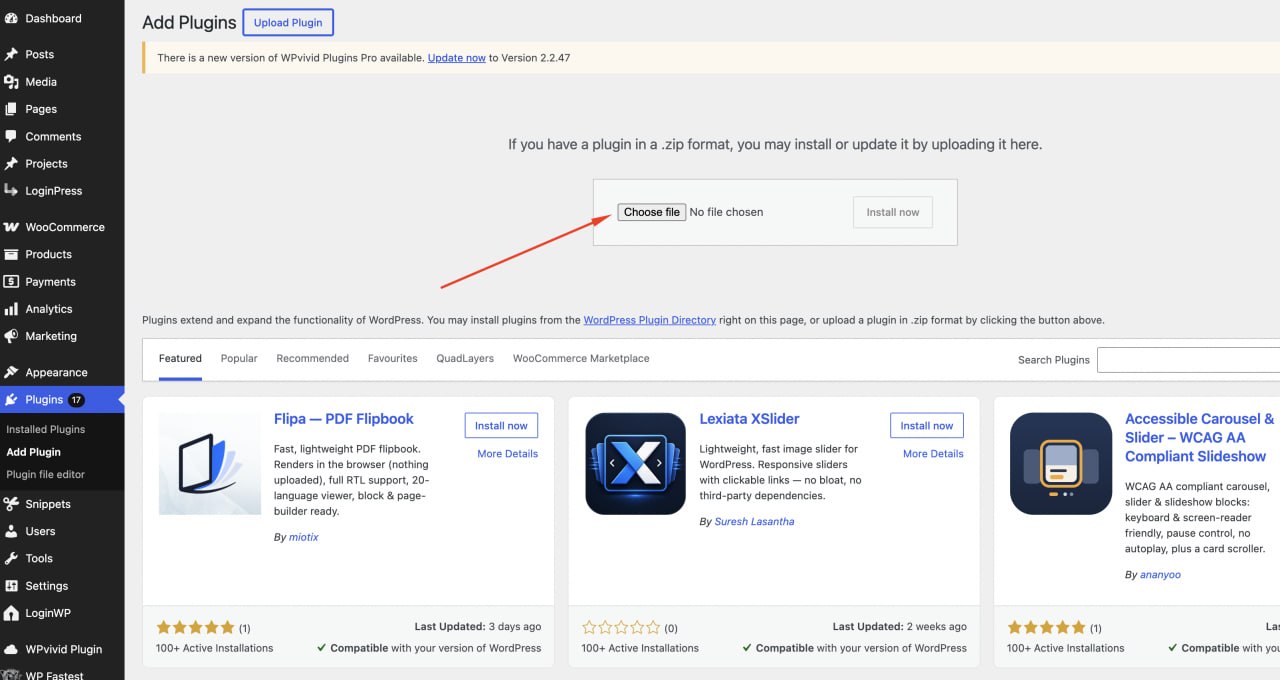
Make sure the upload form is visible and ready. If you do not see the Choose file button, click Upload Plugin again.
Step 5
In your computer files, select the plugin ZIP from your Downloads folder. The file name may look like instant-payment-gateway-2.1.0.zip.

Step 6
After the ZIP file is selected, click Install now. WordPress will upload the file and install the plugin into your store.
Step 7
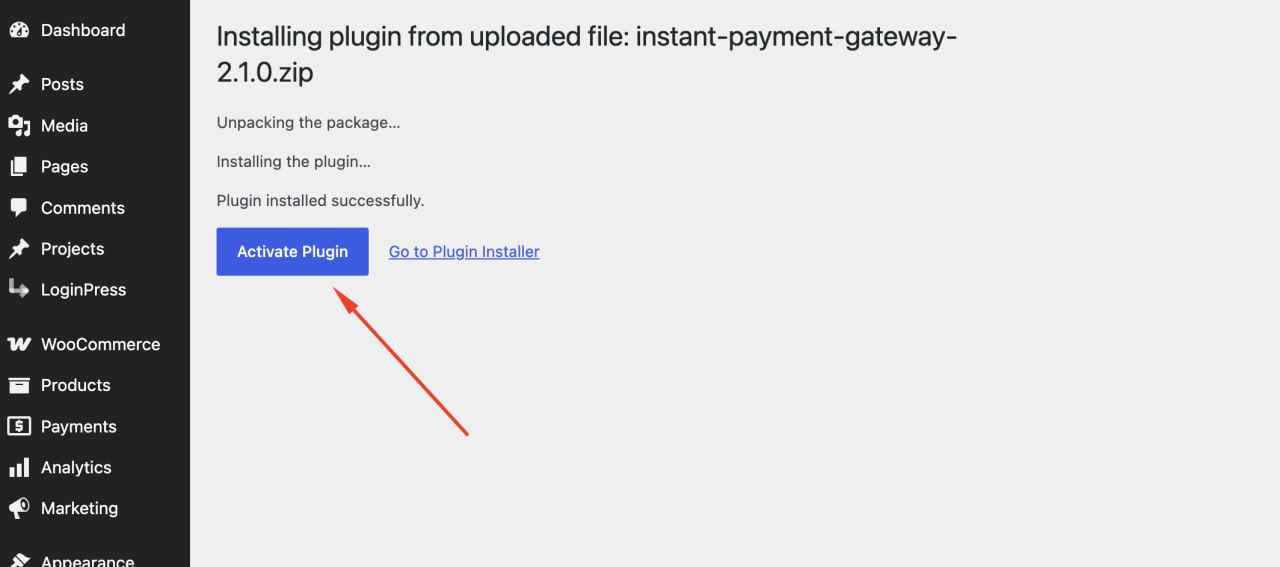
When WordPress shows Plugin installed successfully, click Activate Plugin. The gateway will not appear in WooCommerce until it is activated.
Step 8
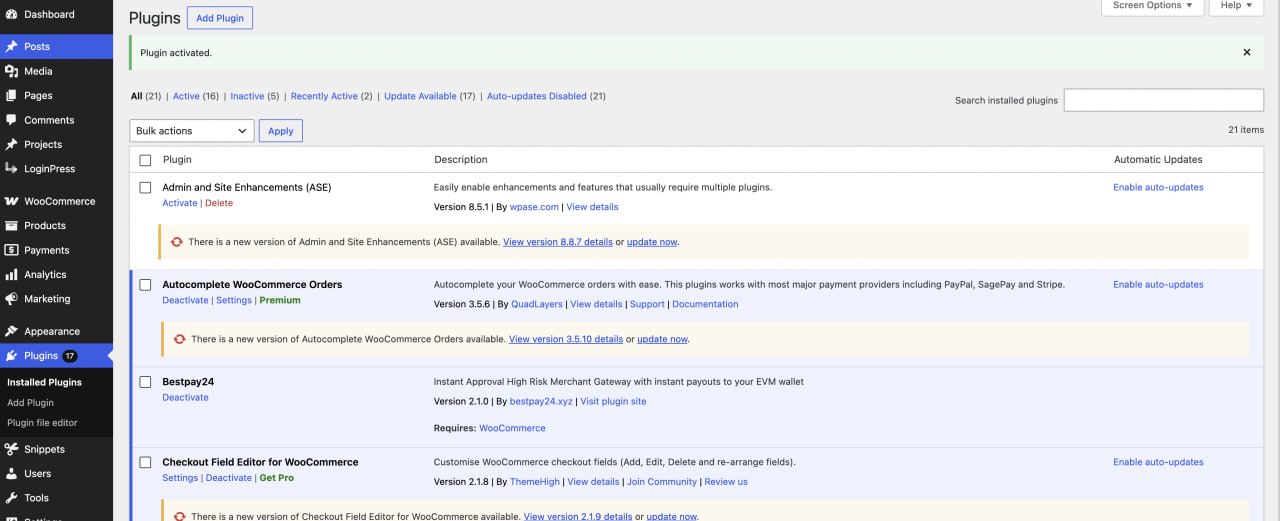
Return to Installed Plugins and confirm the payment gateway is active. Once activated, the plugin adds payment methods inside WooCommerce settings.
Step 9
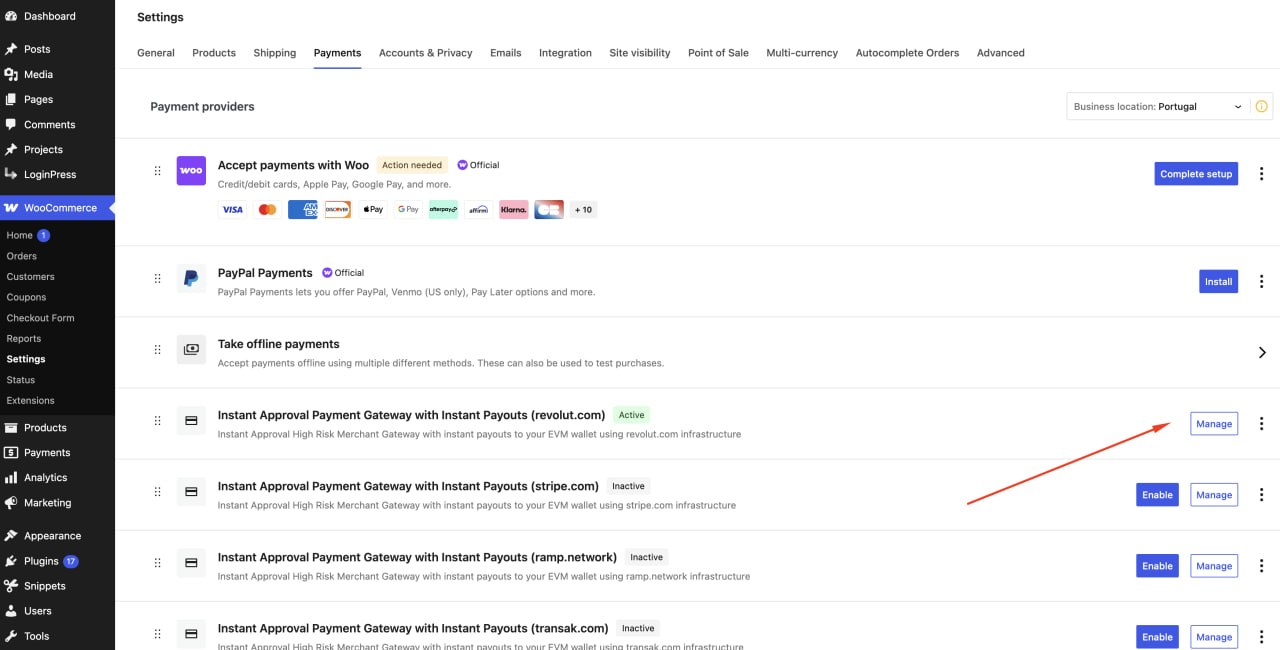
Go to WooCommerce, then Settings, then Payments. Find the Onramp Pay gateway option you want to use, enable it if needed, then click Manage.
Step 10
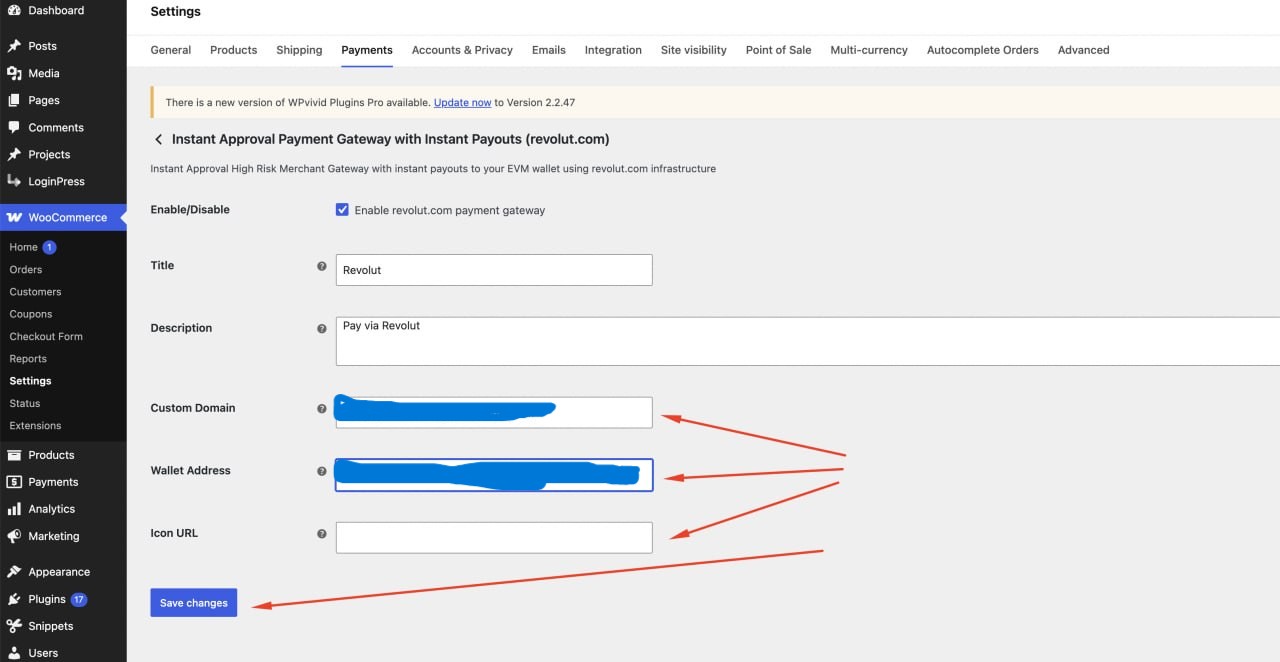
Enable the gateway, set the checkout title and description, add your custom checkout domain, enter your payout wallet address, optionally add an icon URL, then click Save changes.
Place a small test order after saving your gateway settings. Confirm the checkout opens correctly, the wallet address is correct, and payment status updates are received before sending real customers through the gateway.